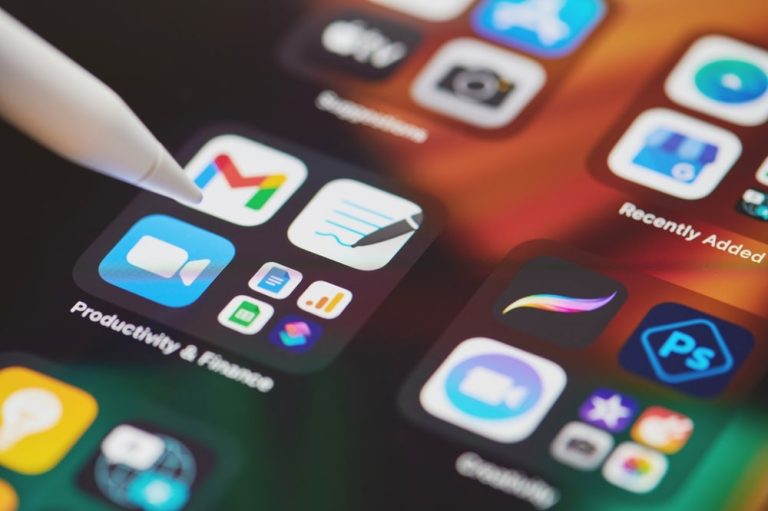
The 5 Essential Apps for Technology Beginners
Getting Started with Smart Technology in 2024
Nearly 92% of Americans now own a smartphone, yet a surprising number still feel lost when it comes to using it effectively. Many new users find themselves grappling with everything from managing passwords to editing photos, making technology feel more like a burden than a benefit. This digital divide can be daunting, especially for those who didn’t grow up with devices strapped to their palms.
Fortunately, having the right tools can transform confusion into confidence in just a few taps. Finding the Essential Apps for Technology Beginners is crucial as these applications can cater to various needs and simplify daily tasks, from communication to personal security, enhancing the user’s experience significantly.
Why Choosing the Right Apps Matters
Not all apps are created equal. Many apps on the market are cluttered with features that may overwhelm new users, contributing to frustration and discouragement. In contrast, apps designed with simplicity in mind can help ease the learning curve associated with technology.
The best apps for beginners often share key traits that make them user-friendly:
- Clean, intuitive interfaces that prioritize ease of navigation
- Minimal setup requirements, allowing for quick use without extensive configurations
- Clear tutorials or onboarding guides to aid understanding and confidence
- Strong customer support or community forums to provide assistance when needed
What This Guide Will Cover
This article breaks down five beginner-friendly technology apps that cater to everyday needs, such as staying organized, managing finances, or enhancing privacy. Each recommendation is based on real usability and is aimed at making technology accessible rather than just popular.
Whether you’re guiding a parent through their first smartphone experience or stepping into the digital world for the first time yourself, having the right tools at your disposal can make all the difference. These top apps for new users offer practical starting points that improve efficiency and comfort in using technology.
Are you ready to simplify your digital life? Here are five essential tools every tech newbie should download today. For instance, a note-taking app like Evernote can help you keep track of appointments and tasks, while a password manager such as LastPass can securely store your passwords, eliminating the stress of remembering multiple login details.
By exploring user-friendly applications tailored for beginners, you can unlock a world of possibilities. Embrace the journey of technology and see how it can enhance your daily life, all while ensuring that you feel supported and empowered every step of the way.
CHECK OUT: 6 Ways to Use Workflow Automation Apps to Stop Wasting Time
Simplifying Communication and Organization: The First Steps
Before diving into the full lineup of Essential Apps for Technology Beginners, it helps to understand where most people get stuck first: messaging and staying organized. According to a 2023 Pew Research study, 73% of smartphone users cite texting and calling as their primary use, yet many still struggle with group chats, video calls, or syncing contacts across devices. This is where the right starter apps make an immediate difference in enhancing daily communication and organization.
1. WhatsApp: Bridging Communication Gaps
For anyone juggling a hectic mix of texts, international calls, or family group chats, WhatsApp remains one of the best apps for beginners looking to simplify communication. Unlike traditional SMS, WhatsApp leverages Wi-Fi or mobile data, which means users incur no per-message charges, even when texting relatives abroad. For U.S. users, where international texting can easily rack up costs, this feature is a significant advantage.
What makes WhatsApp particularly beginner-friendly is its straightforward setup process. Users only need a phone number to get started, and the interface mirrors basic texting apps most people already recognize, making it intuitively easy to navigate. This is especially important for those who may feel intimidated by more complex technological interfaces.
- End-to-end encryption ensures that conversations remain private and secure, addressing one of the most significant concerns in our digital age—data privacy.
- Voice and video calls operate over any internet connection, allowing users to connect in real-time without worrying about their minute count.
- Group chats can support up to 1,024 participants, ideal for family coordination or planning large gatherings, ensuring everyone stays on the same page.
- Voice messages allow users to communicate quickly without the need to type long texts, making it easier for those who may struggle with small keyboard layouts.
For older adults or first-time smartphone users, this app often becomes the gateway to feeling comfortable with mobile technology as a whole, providing a sense of connection that is vital in today’s fast-paced world.
2. Google Calendar: Taming the Chaos of Daily Life
Staying organized is often the biggest hurdle for those new to digital tools. Google Calendar consistently ranks among the top apps for new users because it replaces paper planners with something far more powerful, and it’s free. It serves as an essential aid in managing the everyday chaos that many face.
The app syncs automatically across phones, tablets, and computers, so an appointment entered on one device instantly appears on all others. This eliminates the common beginner mistake of double-booking or forgetting commitments entirely, as busy schedules can often clash without proper oversight.
Setup takes less than five minutes. New users simply link a Gmail account, and the calendar populates automatically with any existing events from email confirmations, like flight bookings or restaurant reservations. This seamless integration fosters a more organized lifestyle right from the start.
- Color-coded categories help distinguish between work, family, and personal events, providing a visual cue that makes it easier to navigate a busy schedule.
- Smart reminders reduce missed appointments, with studies indicating a reduction by up to 40%, according to internal Google usability data—this can be a game changer for anyone managing multiple responsibilities.
- Shared calendars simplify coordinating schedules with family members or coworkers, fostering better communication and collaboration in both personal and professional environments.
Together, these two apps—WhatsApp and Google Calendar—form a strong foundation for anyone exploring beginner-friendly technology apps. They cater to the most immediate frustrations of everyday life: staying in touch and staying organized, without requiring extensive technical expertise or lengthy tutorials.
As we move forward, the subsequent sections will tackle a slightly different challenge: keeping information secure and finances in check. In these areas, apps for tech newbies can offer real peace of mind, reassuring users as they navigate the complexities of modern technology.

| App Name | Key Features & Benefits |
|---|---|
| Evernote | A powerful note-taking app that helps users organize their thoughts. It allows users to create notes, attach files, and sync across devices. Ideal for beginners to manage information efficiently. |
| Canva | This graphic design app empowers beginners to create stunning visuals with ease. Its user-friendly interface and templates make designing accessible for all. |
| Duolingo | An engaging way to learn a new language. Through gamified lessons, users can pick up language skills without feeling overwhelmed, perfect for tech newbies. |
| Slack | A collaboration tool that simplifies communication for beginners. With channels and direct messaging, it streamlines team interactions in any project. |
| Trello | A task management app that helps users organize projects visually. Its drag-and-drop interface is intuitive, making it great for organizing workflows without hassle. |
SEE ALSO: 6 Easy Open Source Software Alternatives to Organize Digital Files
Protecting Your Data and Managing Your Money with Confidence
Once communication and scheduling feel manageable, the next hurdle for most newcomers involves two areas that often feel intimidating: digital security and personal finance. A 2023 Federal Trade Commission report revealed that Americans lost more than $10 billion to fraud, with a growing share of victims being individuals unfamiliar with basic digital safeguards. This makes password protection and financial tracking two of the most practical categories within any list of Essential Apps for Technology Beginners.
3. Google Password Manager: A Simple Shield Against Common Threats
Weak or reused passwords remain one of the leading causes of account breaches. For those just starting out, Google Password Manager offers one of the best apps for beginners seeking straightforward digital protection without needing to memorize dozens of complex codes.
Built directly into Android devices and the Chrome browser, this tool requires no separate download for most users. It automatically generates strong, unique passwords and stores them securely, syncing across devices tied to the same Google account.
- Autofill functionality eliminates the frustration of retyping login credentials on every site or app.
- Breach alerts notify users if a saved password has appeared in a known data leak, prompting an immediate change.
- Cross-device syncing means a password saved on a laptop is instantly available on a phone or tablet.
For anyone hesitant about juggling multiple logins, this app quietly removes one of the biggest sources of daily technological anxiety, making it a quiet standout among beginner-friendly technology apps.
4. Mint: Making Sense of Personal Finances
Money management is another area where newcomers frequently feel overwhelmed. Mint, developed by Intuit, has long been recognized as one of the top apps for new users wanting a clear snapshot of their financial health without needing an accounting background.
The app connects securely to bank accounts, credit cards, and loans, then organizes transactions into categories like groceries, utilities, and entertainment. According to Intuit’s internal data, users who actively track spending through Mint report cutting unnecessary expenses by an average of 15% within the first three months.
- Automatic categorization removes the tedious task of manually logging every purchase.
- Budget alerts notify users when spending in a category nears its limit, encouraging real-time adjustments.
- Credit score tracking is included at no extra cost, giving beginners insight into a number that heavily influences loans and interest rates.
For someone who has never tracked a budget digitally, Mint transforms scattered bank statements into a single, understandable dashboard, proving especially valuable for young adults managing their first paychecks or families coordinating shared expenses.
Together, these tools address concerns that extend beyond convenience into genuine financial and personal safety. As more apps for tech newbies continue to emerge, security and budgeting remain two areas where a small learning investment pays off quickly, setting the stage for the final essential tool covered next.
Building a Foundation That Grows With You
Stepping back from each individual recommendation, a clear pattern emerges. The Essential Apps for Technology Beginners covered throughout this guide are not simply convenient extras; they represent the core skills modern life increasingly demands, from staying connected to guarding personal information.
What makes these particular tools stand out among the crowded landscape of technology apps for beginners is their low barrier to entry paired with genuinely useful outcomes. There is no steep learning curve, no confusing jargon, and no hidden costs standing between a first-time user and real results.
Consider the bigger picture: Pew Research Center reports that roughly 73% of American adults now rely on smartphones as their primary gateway to essential services, including banking, healthcare communication, and scheduling. Mastering even a handful of reliable apps can meaningfully reduce the friction of daily digital life.
- Start small by installing one app at a time rather than attempting to learn everything simultaneously.
- Revisit settings periodically, since features and security options frequently update without much fanfare.
- Ask trusted contacts for hands-on demonstrations, which often clarify confusing steps faster than written instructions alone.
Among the best apps for beginners, the common thread is trustworthiness backed by widespread adoption, meaning newcomers are never navigating unfamiliar territory alone. Millions of other apps for tech newbies users have already worked through the same early questions and hesitations.
Ultimately, curiosity paired with a willingness to experiment matters more than technical background. These beginner-friendly technology apps were designed with exactly that mindset in view, offering a practical, low-risk entry point into a digital world that only continues to expand in scope and relevance.
Frequently Asked Questions
What are the top recommended essential apps for technology beginners in 2023?
The top five essential apps for technology beginners in 2023 include communication tools like WhatsApp, productivity apps such as Microsoft Office or Google Workspace, learning platforms like Duolingo, navigation aids like Google Maps, and personal finance tools like Mint. These apps cover a range of basic needs that help users become more comfortable with technology.
How can these essential apps help beginners improve their tech skills?
These essential apps help beginners improve their tech skills by offering user-friendly interfaces and learning resources. For instance, apps like Duolingo provide interactive language learning that can boost digital literacy, while navigation apps enhance understanding of GPS technology and map usage.
Are these essential apps available for both Android and iOS devices?
Yes, the essential apps mentioned are widely available on both Android and iOS platforms. This accessibility allows technology beginners to use the same apps regardless of their device, making it easier to learn and adapt to technology.
What are some tips for beginners to get started with using these essential apps?
Beginners should start by exploring each app’s tutorials or help sections to understand their basic functions. Taking time to practice regularly, joining online forums, or watching instructional videos can also be beneficial. Additionally, setting small goals within each app can foster confidence and improve tech skills over time.

Beatriz Johnson is a technology writer with an academic background in Digital Communication and Information Technology. She helps beginners understand digital tools, online safety, apps, productivity, and basic tech skills through clear and practical guides.