10 Best Productivity Tools to Improve Daily Efficiency
10 Best Productivity Tools to Improve Daily Efficiency
Productivity tools can help beginners organize tasks, manage time, take notes, collaborate with others, and reduce repetitive work. Instead of trying to remember everything or manage projects manually, these tools give you a clearer system for handling daily responsibilities.
The best productivity tools are not always the most advanced. For beginners, the right tools are the ones that solve real problems, are easy to use, and fit naturally into your routine.
In this guide, you will learn how to choose productivity tools, which categories matter most, and how to use them effectively to improve your workflow.
What Are Productivity Tools?
Productivity tools are digital apps or platforms designed to help you work more efficiently. They can support task management, scheduling, note-taking, collaboration, time tracking, file organization, and automation.
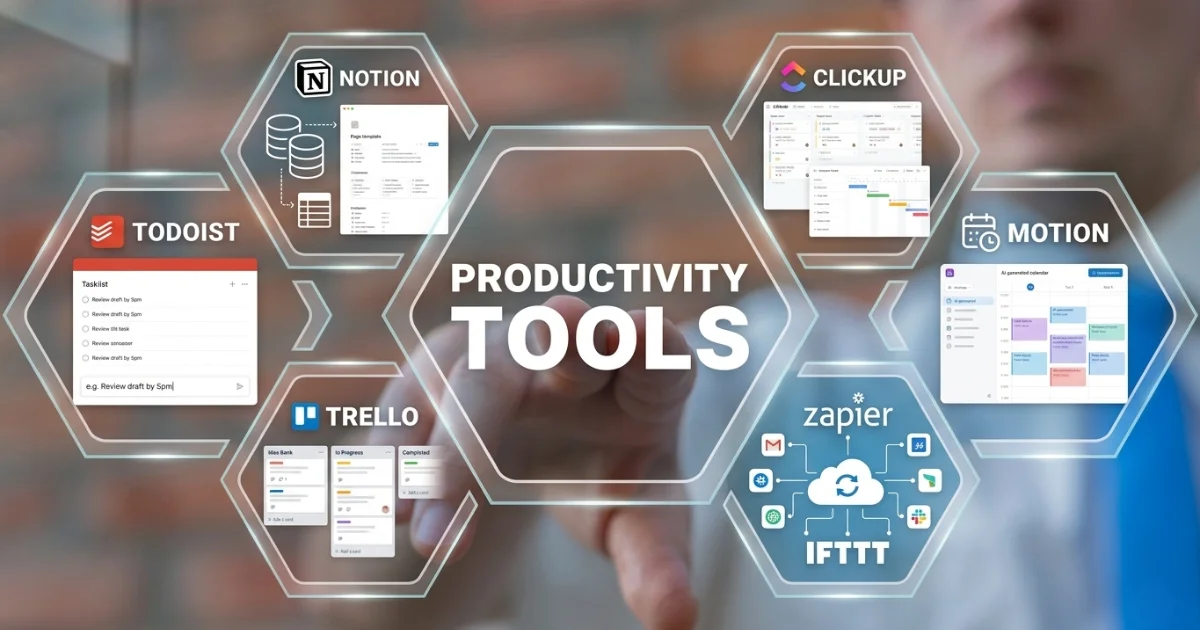
Common examples include Trello, Asana, Todoist, Notion, Evernote, Slack, Microsoft Teams, Google Calendar, Toggl, Clockify, Zapier, and Google Drive.
These tools can be useful for students, freelancers, remote workers, small business owners, teams, and anyone who wants to stay more organized.
10 BEST PRODUCTIVITY TOOLS FOR 2026
Why Productivity Tools Are Useful for Beginners
Beginners often struggle with scattered tasks, missed deadlines, disorganized notes, and unclear priorities. Productivity tools help create structure, making it easier to know what needs to be done and when.
They can help you:
- Organize tasks and deadlines.
- Plan your day more clearly.
- Track how your time is being spent.
- Store notes and ideas in one place.
- Collaborate with teammates more efficiently.
- Automate repetitive tasks.
- Reduce stress caused by disorganization.
How to Choose the Best Productivity Tools
Before downloading several apps, identify the main problem you want to solve. Using too many tools at once can make your workflow more confusing instead of more productive.
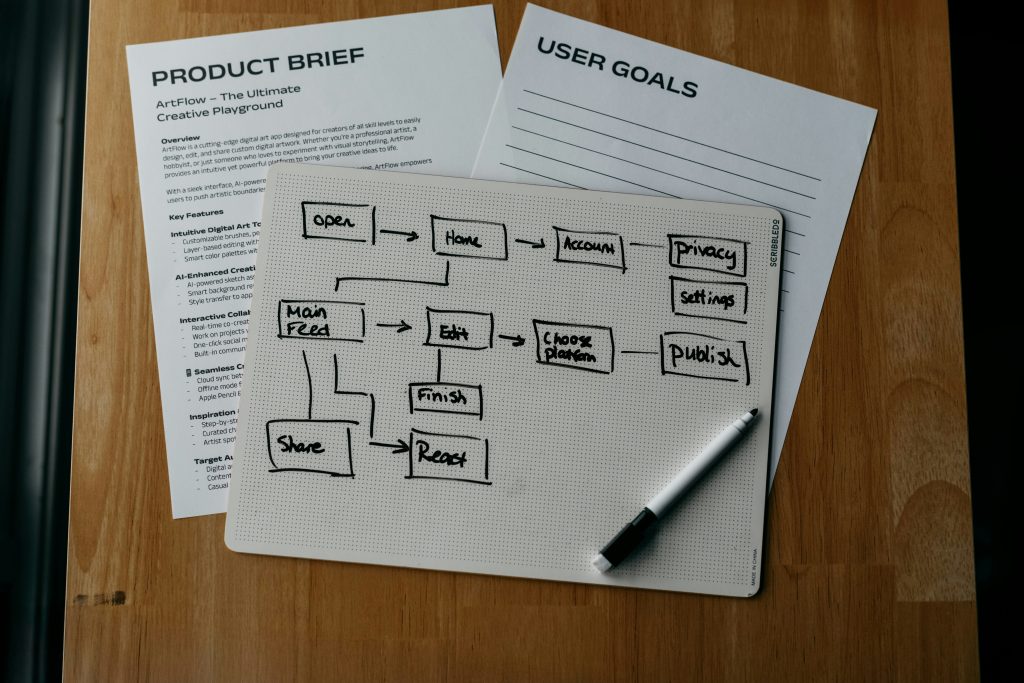
Identify Your Main Goal
Start by asking what you need most. Do you want to manage tasks, track time, organize notes, communicate with a team, or automate repetitive work?
For example, if your biggest challenge is remembering deadlines, a task management tool like Todoist or Trello may be enough. If your challenge is organizing notes and projects, Notion or Evernote may be a better fit.
Look for a Simple User Experience
A productivity tool should be easy to understand and use regularly. If the tool feels too complicated, you may stop using it after a few days.
Beginners should look for clean interfaces, simple menus, useful templates, and clear tutorials.
Check Integrations
Good productivity tools often connect with apps you already use, such as Google Calendar, Gmail, Slack, Microsoft Teams, or Google Drive.
Integrations can save time by connecting tasks, files, messages, and schedules in one workflow.
Start with Free Plans
Many productivity tools offer free versions that are enough for beginners. Try the free plan first before paying for advanced features.
This helps you understand whether the tool actually fits your routine.
10 BEST PRODUCTIVITY TOOLS FOR 2026
Best Types of Productivity Tools for Beginners
There are many types of productivity tools. The categories below are the most useful for beginners who want to build a better digital workflow.
1. Task Management Tools
Task management tools help you organize to-do lists, deadlines, and project steps. They make it easier to see what needs attention and what has already been completed.
- Todoist: Useful for personal task lists, recurring tasks, and simple daily planning.
- Trello: Useful for visual project boards and moving tasks through stages.
- Asana: Useful for team projects, task assignments, and deadlines.
Best for: daily planning, project tracking, deadlines, and task organization.
2. Note-Taking Tools
Note-taking tools help you capture ideas, meeting notes, research, checklists, and important information. They are useful when you want to keep everything searchable and organized.
- Evernote: Useful for notes, web clips, images, and research organization.
- Microsoft OneNote: Useful for notebooks, study notes, and structured information.
- Notion: Useful for notes, databases, dashboards, and project planning.
Best for: ideas, research, meeting notes, study notes, and personal knowledge management.
3. Time Tracking Tools
Time tracking tools help you understand how much time you spend on tasks, projects, or clients. This can reveal distractions and improve planning.
- Toggl Track: Useful for simple time tracking and productivity reports.
- Clockify: Useful for tracking projects, work hours, and billable time.
- RescueTime: Useful for analyzing digital habits and distractions.
Best for: freelancers, remote workers, productivity reviews, and time management.
4. Calendar and Scheduling Tools
Calendar tools help you plan meetings, deadlines, reminders, and focus blocks. They are especially useful for time blocking and building a structured routine.
- Google Calendar: Useful for scheduling, reminders, and shared calendars.
- Outlook Calendar: Useful for Microsoft users and workplace scheduling.
- Apple Calendar: Useful for users in the Apple ecosystem.
Best for: time blocking, appointments, reminders, meetings, and daily planning.
5. Collaboration Tools
Collaboration tools help teams communicate, share updates, manage files, and work together remotely.
- Slack: Useful for team channels, quick messages, and project communication.
- Microsoft Teams: Useful for workplace communication, meetings, and Microsoft 365 users.
- Google Drive: Useful for file sharing, document collaboration, and cloud storage.
Best for: remote teams, file sharing, communication, and group projects.
6. Automation Tools
Automation tools help reduce repetitive manual work by connecting apps and triggering actions automatically.
- Zapier: Useful for connecting apps and automating simple workflows.
- IFTTT: Useful for simple personal automations.
- Make: Useful for visual multi-step workflow automation.
Best for: saving time, reducing repetitive tasks, and connecting different apps.
READ ALSO: Productivity Tools for Beginners: Safe Note-Taking Practices and Digital Habits
Productivity Tools Comparison
| Tool Category | Examples | Best Use |
|---|---|---|
| Task Management | Todoist, Trello, Asana | Organizing tasks, projects, and deadlines |
| Note-Taking | Evernote, OneNote, Notion | Saving notes, ideas, research, and information |
| Time Tracking | Toggl Track, Clockify, RescueTime | Tracking work hours and productivity habits |
| Calendar Tools | Google Calendar, Outlook Calendar, Apple Calendar | Scheduling, reminders, and time blocking |
| Collaboration | Slack, Microsoft Teams, Google Drive | Team communication and file sharing |
| Automation | Zapier, IFTTT, Make | Automating repetitive workflows |
How to Use Productivity Tools Effectively
Using productivity tools effectively requires more than downloading apps. You need a simple system that fits your daily routine.
1. Start with One Tool
Do not try to use too many tools at once. Start with one tool that solves your biggest problem.
If your tasks are disorganized, start with Todoist or Trello. If your notes are scattered, start with Notion or Evernote. If you lose track of time, start with Clockify or Toggl Track.
2. Create a Daily Review Habit
Review your tasks and schedule at the beginning or end of each day. This helps you stay aware of deadlines, priorities, and unfinished work.
A simple daily review can include:
- Checking your task list.
- Choosing your top three priorities.
- Reviewing meetings or appointments.
- Updating completed tasks.
- Preparing tasks for the next day.
READ ALSO: Productivity Tools for Beginners: Safe Note-Taking Practices and Digital Habits
3. Use Time Blocking
Time blocking means assigning specific blocks of time to specific tasks. This helps prevent your day from being controlled only by messages, meetings, or urgent requests.
For example:
- 9:00 AM – 10:30 AM: Focus work
- 10:30 AM – 11:00 AM: Email and messages
- 11:00 AM – 12:00 PM: Project tasks
- 2:00 PM – 3:00 PM: Meetings
4. Keep Your System Simple
A productivity system should reduce stress, not create more work. Avoid creating too many folders, boards, tags, or complicated workflows when you are just starting.
Begin with simple categories such as:
- Today
- This Week
- Waiting
- In Progress
- Completed
5. Use Automation Carefully
Automation can save time, but only when used for repetitive tasks. Beginners should start with simple automations, such as creating calendar reminders, saving email attachments, or sending task notifications.
Avoid automating important workflows until you understand how the process works.
6. Review Your Tools Weekly
Set aside a few minutes each week to check whether your tools are helping. Remove what is not useful and adjust what feels too complicated.
Ask yourself:
- Did this tool save time?
- Did it help me stay organized?
- Did I use it consistently?
- Did it reduce stress or create more work?
Best Beginner Productivity Setup
If you are new to productivity tools, a simple setup is better than a complicated one. Start with only a few tools that cover the basics.
- Task manager: Todoist, Trello, or Asana.
- Calendar: Google Calendar, Outlook Calendar, or Apple Calendar.
- Note app: Notion, Evernote, OneNote, or Apple Notes.
- File storage: Google Drive, OneDrive, Dropbox, or iCloud Drive.
- Time tracking: Clockify or Toggl Track.
This setup helps you manage tasks, schedule time, store information, organize files, and understand your work habits.
READ ALSO: Productivity Tools for Beginners: Safe Note-Taking Practices and Digital Habits
Common Mistakes Beginners Should Avoid
Productivity tools can help, but they can also become distracting if used incorrectly. Avoid these common mistakes:
- Using too many apps: Too many tools can make your workflow harder to manage.
- Choosing tools without a clear goal: Every tool should solve a specific problem.
- Ignoring reminders and deadlines: Task tools only work if they are updated regularly.
- Overcomplicating workflows: Simple systems are easier to maintain.
- Not reviewing progress: Weekly reviews help keep your system useful.
- Expecting tools to do everything: Apps support productivity, but habits create consistency.
FAQ About Productivity Tools
What are the best productivity tools for beginners?
Some of the best productivity tools for beginners include Todoist, Trello, Asana, Notion, Evernote, Google Calendar, Google Drive, Clockify, Toggl Track, Slack, and Zapier.
How many productivity tools should I use?
Beginners should start with a small number of tools. A task manager, calendar, note-taking app, and file storage tool are usually enough to begin.
Are free productivity tools enough?
Yes. Many free productivity tools are enough for beginners. Paid plans may be useful later if you need advanced automation, more storage, team permissions, or detailed reporting.
Can productivity tools improve time management?
Yes. Productivity tools can improve time management by helping you schedule tasks, track time, set reminders, organize priorities, and reduce scattered work.
What is the easiest productivity tool to start with?
Todoist, Trello, Google Calendar, Apple Notes, and Google Drive are beginner-friendly options because they are simple, practical, and easy to start using.
Conclusion
Productivity tools can help beginners organize tasks, manage time, take notes, collaborate with others, and automate repetitive work. The key is choosing tools that match your actual needs instead of using apps just because they are popular.
Start small, build a daily review habit, use time blocking, keep your system simple, and review your tools regularly. Over time, the right productivity tools can help you reduce stress, improve focus, and manage your daily responsibilities with more confidence.
With a simple setup and consistent habits, productivity tools can become a powerful part of a more organized and efficient workflow.
10 BEST PRODUCTIVITY TOOLS FOR 2026

Beatriz Johnson is a technology writer with an academic background in Digital Communication and Information Technology. She helps beginners understand digital tools, online safety, apps, productivity, and basic tech skills through clear and practical guides.