How to Use Productivity Apps: Essential Tips and Tools for Beginners
Discovering the Impact of Productivity Applications
In a time filled with constant notifications and endless online distractions, productivity apps have become more useful than ever. These digital tools help simplify daily tasks while improving efficiency, organization, and time management. When used well, they allow people to structure their work, manage responsibilities more clearly, and move toward their goals with greater intention.
For beginners, however, the number of productivity apps available can feel overwhelming. Where should you start, and how do you know which tools are right for you?
If you are new to productivity apps, the first step is to understand which features best match your personal needs and lifestyle. With so many applications on the market, knowing your priorities can make the selection process much easier. Here are some key features to consider:
Task Management: Strong task management is at the heart of many productivity apps. Tools like Todoist and Trello help users break large projects into smaller, more manageable tasks, set deadlines, and prioritize work based on importance. Trello, for example, uses visual boards that allow users to organize ongoing projects, assign tasks, and track progress through customizable columns.
Time Tracking: Understanding where your time goes is essential for improving productivity. Apps like Toggl allow users to track how much time they spend on specific tasks, offering useful insights into work habits and productivity patterns. For example, professionals may realize they are spending too much time on emails and decide to adjust their workflow.
Note-Taking: Capturing ideas, thoughts, and plans is important for brainstorming and organization. Applications such as Evernote and Notion provide advanced ways to organize notes, collaborate with others, and build databases. Notion’s all-in-one workspace makes it possible to connect notes, tasks, and projects in one place.
Using these apps is about more than convenience. They are designed to reshape how you approach your daily responsibilities. By adding their features to your routine, you can increase productivity and free up more time for what matters most, whether that is personal growth, hobbies, or family.
In the sections below, we will explore practical tips for getting more value from productivity apps and introduce a helpful guide to beginner-friendly tools. Whether you are a college student managing assignments, a professional balancing several projects, or someone who simply wants to organize daily tasks more effectively, learning how to use these applications can change the way you manage your time and work.
Navigating Your Productivity Journey
As you begin exploring productivity apps, it is important to remember that productivity is personal. The tools you choose should support your own goals, habits, and challenges. A good first step is to assess your current workflow. Do you often feel overwhelmed by your to-do list? Do distractions regularly interrupt your focus? Identifying these pain points will help you understand which app features may be most useful.
Once you know what you want to improve, set clear objectives. Do you want to manage your time better, reduce procrastination, or collaborate with others more efficiently? When you understand your goals, it becomes easier to evaluate which apps can help you reach them. Here are some essential tips to guide the process:
Start Small: Begin with one or two productivity apps instead of trying to use several at once. This gives you time to understand their features without becoming overwhelmed. For example, you might start with a task management app like Todoist to organize daily responsibilities before adding tools for time tracking or note-taking.
Explore Customization: Many productivity apps allow you to personalize the experience. Trello lets users create boards that match their workflow, while Evernote supports different note formats and tags for organizing information. Testing these options can help you discover what works best for your style of organization.
Integrate with Your Routine: To get the most benefit from productivity apps, make them part of your daily habits. This may involve checking your task list at set times, adding reminders for deadlines, or reviewing your progress at the end of the day. The more consistently you use these tools, the more natural they will become.
Utilize Tutorials and Resources: Most productivity apps offer tutorials, guides, user forums, and other learning resources. These can help you understand key features and learn tips from experienced users. Notion, for example, has a large collection of community templates that can inspire new ways to organize projects.
Productivity apps are not one-size-fits-all solutions. A tool that works well for one person may not be the right fit for someone else. Take time to reflect on your experience with each app, and do not be afraid to change your approach when needed. A mindset of experimentation will help you build a productivity system that truly supports your goals.
In the next section, we will look more closely at specific tools that can help beginners improve productivity. By understanding what each application does best, you can make smarter choices and create a workflow that helps you manage tasks, organize time, and regain control of your day.
Integrating Productivity Apps into Your Daily Routine
In today’s fast-paced world, adding productivity apps to your daily routine can improve both efficiency and organization. Beginners should approach this transition with a clear strategy. Start by choosing tools that align with your personal or professional needs, whether that involves task management, note-taking, or time tracking.
Trello is a popular choice for beginners because of its simple interface and visual boards, which make project management easier to understand. Evernote is another strong option for users who need a reliable way to take notes and organize documents, ideas, and information. Both tools also include features that support collaboration, which can be especially useful in team settings.
To get started effectively, set aside small blocks of time to learn the app’s main features. Use the tutorials and support resources provided by the platform, as these can make the learning process much smoother. Experimenting with different settings and organization methods can also help you personalize the app so it better fits your workflow.
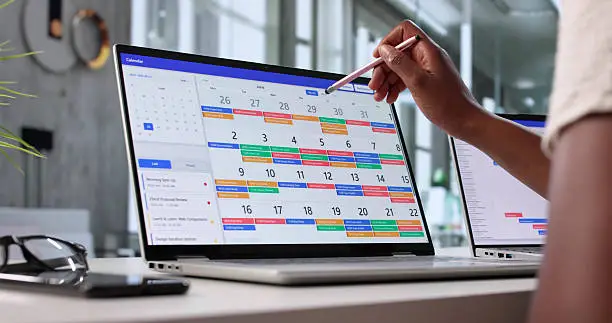
Calendar applications such as Google Calendar can also be helpful for scheduling tasks and setting reminders. This type of integration helps structure your day, improve focus, and reduce the risk of missing important deadlines. Since many productivity apps are mobile-friendly, you can stay connected and manage your tasks even when you are away from your desk.
Maximizing Efficiency Through Automation and Integration
Automation can make productivity apps even more powerful. Tools like Zapier and Ifttt allow users to connect different applications and create smoother workflows, saving time on repetitive tasks. For example, you can automate task creation from emails, reducing manual entry and giving you more time to focus on important work.
Integrating productivity apps with tools you already use can also improve functionality. Connecting Todoist with your email service, for instance, can make it easier to turn emails into actionable tasks. This reduces the chance of important items getting lost or forgotten.
Exploring integrations is important because they can expand what productivity apps are able to do and help you stay better organized. However, it is best not to overwhelm yourself with too many tools at once. Start with a few applications that address your immediate needs, then gradually add more as your workflow becomes clearer.
By applying these tips and using productivity apps with intention, you can manage your time more effectively and improve productivity in both your personal and professional life.
Choosing the Right Tools for Your Workflow
After learning the basic tips for using productivity apps, the next step is to explore specific tools. With so many options available, it is important to choose applications that fit naturally into your existing workflow while helping you become more productive. Below are several common categories of productivity apps, along with beginner-friendly examples in each one.
Task Management Apps
Task management apps are useful for keeping track of daily responsibilities and making sure important tasks are not forgotten. Todoist is a popular option that allows users to create to-do lists, set priorities, and add deadlines. Its simple design and cross-platform compatibility make it easy to use on both mobile devices and desktop computers.
Microsoft To Do is another strong choice, especially for users who already work with Microsoft applications. Its integration with the Microsoft ecosystem makes it easier to organize tasks and manage responsibilities in one place.
Time Tracking Tools
Understanding how you spend your time can lead to major productivity improvements. RescueTime provides insights into how much time you spend on different activities. With detailed reports, it can help you identify time drains and adjust your schedule more effectively.
Toggl is another helpful option for tracking time spent on individual tasks. Its simple timer system makes it easy to start and stop tracking without adding extra effort. This can help users understand where their work produces the best results.
Note-Taking Applications
Good note-taking can improve organization, understanding, and information retention. Evernote is a strong option because it offers features such as notebooks, tags, and the ability to capture articles, images, and voice notes in one place. This makes it useful for both students and professionals.
For users who want a more flexible workspace, Notion combines notes, databases, and task management into one platform. Its customizable structure makes it a powerful option for people who want to organize different parts of their work or studies in a single system.
Collaboration Tools
Collaboration tools are essential for team projects and group communication. Slack is widely used because it allows team members to communicate in real time through channels and direct messages. This can reduce the need for long email threads and make communication more efficient.
Trello is also useful for collaboration because it organizes tasks into boards and cards. This visual structure gives teams a clear view of project progress and helps improve accountability. It can support both small teams and larger organizations.
Habit Trackers
Building productive habits can improve focus, consistency, and long-term progress. Habitica turns habit tracking into a role-playing game, allowing users to earn rewards as they complete tasks and build routines. This gamified approach can make everyday responsibilities feel more engaging.
Streaks is another effective habit tracker that encourages users to maintain consecutive days of habit completion. By reinforcing consistency, it helps users develop positive behavioral patterns over time.
As you explore these tools, remember that experimentation is part of the process. You may find that combining different apps creates a system that works especially well for you. Pay attention to which tools support your workflow best, and be willing to replace apps when your needs change. Adjusting your toolset over time can improve focus, creativity, and task completion.
Conclusion: Unlocking Your Potential with Productivity Apps
In a world full of distractions, productivity apps can be powerful tools for beginners who want to organize their work and improve focus. By exploring apps for task management, time tracking, note-taking, collaboration, and habit building, you can create a system that supports your personal and professional goals.
The most important step is finding tools that match your needs. With so many options available, experimentation is essential. Try different combinations of apps and pay attention to what fits your workflow best. As your goals evolve, your productivity system can evolve with them.
It is also helpful to stay open to habit formation and collaboration. Whether you are working alone or with a team, the right productivity apps can help create a more organized and efficient environment. By consistently using the insights and features these tools provide, you can improve task management and develop a smarter way to work.
As you become more comfortable with productivity apps, you can unlock new levels of focus, organization, and achievement. These digital tools can help you manage your responsibilities more effectively and move closer to your personal and professional aspirations.

Beatriz Johnson is a technology writer with an academic background in Digital Communication and Information Technology. She helps beginners understand digital tools, online safety, apps, productivity, and basic tech skills through clear and practical guides.