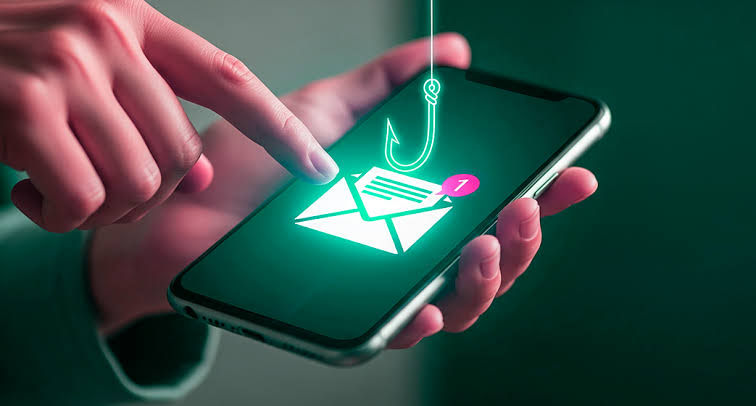
How to verify suspicious links to ensure your online safety
Understanding the Risks of Suspicious Links
In today’s fast-paced digital world, the internet is central to how we communicate, shop, work, and find information. But that convenience also brings serious risks. Suspicious links appear everywhere, from emails advertising unbelievable “deals” to social media messages that seem to come from people you know. Knowing how to recognize and verify these links is essential for protecting yourself online.
Every year, many people fall victim to phishing attacks, where fraudulent links are designed to look like legitimate websites. For example, an email may appear to come from your bank and ask you to verify your account by clicking a link. In reality, that link may lead to a fake website created to steal your personal information. According to the Federal Trade Commission, reported losses from these scams reached more than $1.9 billion in 2020, showing how damaging these attacks can be.
Key Reasons to Validate Links
Verifying links before clicking can help protect you from several common online threats:
- Protect your personal information: Sharing sensitive data such as Social Security numbers, passwords, or credit card details through a fake website can lead to identity theft.
- Prevent malware infections: Malicious links may download harmful software onto your device. In some cases, clicking a link can install ransomware that locks your files until a payment is demanded.
- Enhance online security: Link verification is an important part of safer browsing. Identifying secure and legitimate websites helps protect your digital footprint from fraud.
Every time you go online, link validation should be part of your routine. Simple habits, such as hovering over a link to preview the real URL or using a dedicated URL checker, can help you assess whether a link is safe. Tools like VirusTotal can scan URLs for known malware before you visit them.
As cybercriminals continue to refine their tactics, staying cautious is one of your strongest defenses. Learning how to verify suspicious links is not just helpful. It is necessary. A few seconds spent checking a link can prevent serious consequences and help keep your online presence secure.
Techniques to Identify Safe Links
The internet is filled with suspicious links that can mislead users who are not paying attention. To protect yourself, it is important to use practical techniques for checking links before you click. Combining visual checks, online tools, and safe browsing habits can greatly improve your online safety.
1. Inspect the URL
One of the first steps in validating a link is carefully reviewing the URL. A legitimate link should closely match the website it claims to represent, but scammers often use small differences to deceive users.
Look for the following details:
- Check for HTTPS: A secure URL begins with
httpsrather than justhttp. The “s” indicates a secure connection. If a site only useshttp, proceed carefully. - Examine domain names: Fraudulent links may use fake or slightly altered domains, such as
paypall.cominstead ofpaypal.com. Check every letter closely. - Look for misspellings: Scammers often create web addresses that resemble real sites but include subtle spelling errors. Make sure the domain is written correctly.
2. Use Link Expanding Tools
Shortened URLs can hide the true destination of a link, especially on social media. Tools such as Bitly Unshortened or CheckShortURL allow you to expand shortened links before clicking.
This gives you a better idea of where the link leads and helps prevent accidental visits to malicious websites.
LEARN MORE: Safe Browsing site status
3. Perform a Google Search
If you are unsure whether a link is legitimate, a quick Google search can help. Search for the URL or copy part of the message that included the link.
If scam reports, phishing warnings, or suspicious discussions appear in the results, it is best to avoid clicking the link.
4. Utilize Security Tools
Technology can make link verification easier. Several online services and browser extensions are designed to detect unsafe links.
- VirusTotal: This tool scans URLs for malware and phishing threats by checking them against multiple security engines.
- Web of Trust (WOT): This browser add-on provides website reputation ratings based on user feedback and safety reports.
Taking a proactive approach to suspicious links is one of the most effective ways to protect your digital presence. Every click can have consequences, so using available tools and staying cautious helps protect your information and improve your overall online security.
Understanding the Risks of Suspicious Links
In today’s digital landscape, protecting yourself from online threats is more important than ever. Suspicious links can lead to identity theft, data breaches, malware infections, and financial loss. Knowing how to verify links is a key part of staying safe online.
| Verification Method | Advantage |
|---|---|
| Using Link Scanners | Automated tools can quickly detect malicious URLs. |
| Hovering Over Links | Reveals the real URL before clicking, reducing the risk of accidental access. |
Using these verification methods improves online safety and builds the habit of thinking critically about the links you encounter. This practice gives you the skills needed to browse the web more securely.
Staying Informed on Cybersecurity
Staying updated on cybersecurity practices and current threats can further strengthen your online safety. Learn about common phishing attacks, follow trusted security resources, and remain alert while browsing.
Informed users are less likely to fall for scams, which makes ongoing education an important part of protecting yourself online.
Additional Strategies for Link Verification
As cyber threats continue to evolve, link verification strategies must evolve as well. A cautious mindset and a broader set of tools can help protect your online identity. Here are additional ways to evaluate suspicious links before interacting with them.
5. Look for Contact Information
Legitimate websites usually provide clear contact details, terms of service, and company information. If a link takes you to a site without an “About Us” page, email address, phone number, or physical address, that should raise concern.
Scammers often create fake websites without real support channels. Whenever possible, cross-check contact information with the company’s official website.
6. Check User Reviews and Feedback
Before clicking a suspicious link, look for reviews or user reports. Platforms such as Trustpilot and the Better Business Bureau can provide insight into a company’s reputation.
If you find repeated complaints, scam warnings, or reports of fraudulent activity connected to the link, avoid interacting with it. Forums and community boards can also be useful for identifying phishing attempts or suspicious websites.
7. Analyze Link Behavior
Some links appear harmless but redirect users to dangerous websites. More advanced users can inspect links before clicking by using browser developer tools or the “Inspect” option.
For example, in Google Chrome, right-clicking a link and selecting “Inspect” allows you to view the underlying HTML code. This can reveal whether the link redirects somewhere unexpected.
8. Familiarize Yourself with Phishing Techniques
Understanding common phishing tactics can help you recognize suspicious links more quickly. Cybercriminals often create a sense of urgency, use fake logos, or imitate trusted brands to deceive users.
Stay informed about current phishing trends and scams. The Federal Trade Commission provides updated information about common schemes targeting consumers. The more familiar you are with these tactics, the easier it becomes to evaluate links critically.
9. Report Suspicious Links
If you encounter a link that appears fraudulent or malicious, consider reporting it. Websites such as PhishTank and the Anti-Phishing Working Group collect reports of phishing attempts.
Reporting suspicious links helps protect the broader online community and may prevent others from falling victim to similar scams.
Using a range of tools and methods to verify links can greatly reduce your exposure to cyber threats. Every link can either lead to useful information or become a gateway to fraud. Staying vigilant is one of the best ways to protect your online safety.
Conclusion: Empowering Your Online Safety Through Vigilance
In a world where digital interactions are part of everyday life, knowing how to verify suspicious links is essential for protecting your online security. Vigilance is your first defense against cyber threats that target personal information, financial data, and private accounts.
By checking contact information, reviewing user feedback, analyzing link behavior, and understanding phishing tactics, you can significantly improve your ability to identify and avoid malicious content.
Learning how cybercriminals operate also gives you a stronger advantage. Phishing schemes and social engineering rely on deception, urgency, and trust. When you understand these tactics, you are better prepared to navigate the web safely.
Your online safety is not a one-time task. It requires ongoing attention, education, and proactive habits. As technology changes, your approach to link verification should change with it. By staying skeptical, informed, and careful, you can browse with greater confidence and help create a safer digital environment for everyone.
LEARN MORE: Bitdefender Link Checker – Is this URL safe?

Beatriz Johnson is a technology writer with an academic background in Digital Communication and Information Technology. She helps beginners understand digital tools, online safety, apps, productivity, and basic tech skills through clear and practical guides.