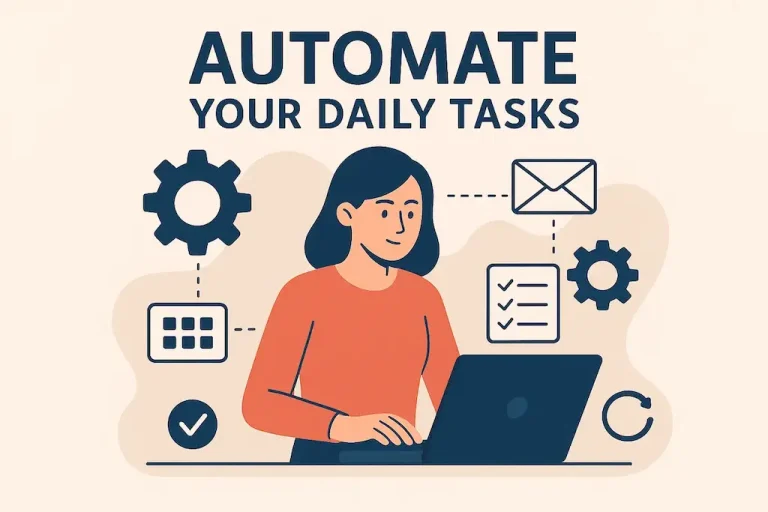
How to Use Productivity Apps to Enhance Your Online Security
Enhancing Your Online Security with Productivity Apps
As our dependence on digital platforms grows, so do the risks that come with everyday online activity. Cybercriminals are constantly looking for ways to exploit personal and financial information, which makes strong cybersecurity habits more important than ever.
One effective way to improve your protection is by using productivity apps. These tools are often associated with organization and efficiency, but many of them can also strengthen your online security when used correctly.
Password Management: Strong password management is one of the foundations of online security. Many people still rely on easy-to-remember passwords, which can leave their accounts vulnerable. Productivity apps such as LastPass and 1Password make password management much safer by storing complex passwords securely. They can also generate strong passwords and autofill login details across websites, making it easier to use a unique password for every account. This is a key habit for reducing the risk of damage after a data breach.
Two-Factor Authentication: Two-factor authentication, or 2FA, adds another important layer of protection to your accounts. Apps such as Google Authenticator and Authy require a second form of verification, often a time-sensitive code sent to your mobile device. This means that even if someone gets your password, they still cannot easily access your account without the second verification step.
Secure File Sharing: With remote work and online collaboration now so common, secure file sharing is essential. Tools like Dropbox and Google Drive include encryption features that help keep documents private. For example, Google’s advanced sharing options allow users to limit file access to specific people, giving you more control over who can view sensitive information. Many organizations also use services with end-to-end encryption to protect files during transfer.
Activity Monitoring: Monitoring your online activity can help detect threats early. Some productivity apps include activity tracking features that notify users about suspicious account behavior. For example, SpyCloud provides information about compromised credentials and alerts users if their information appears on the dark web. By staying aware of your digital footprint, you can act before a potential threat becomes more serious.
Adding these productivity apps to your daily routine can improve your workflow while also helping protect your online presence. As you move through the digital world, these tools can strengthen your security without reducing efficiency. Better organization combined with stronger protection creates a safer online experience, allowing you to focus on your work and maintain peace of mind.
Integrating Productivity Apps into Your Security Strategy
In the digital age, protecting personal information has become essential. As phishing scams, ransomware attacks, and identity theft continue to rise, productivity apps can play an important role in your broader online security strategy. Used thoughtfully, these applications can help you stay organized while also reducing security risks.
Organized Digital Filing Systems: A secure and well-organized filing system helps protect sensitive documents while keeping them easy to access when needed. Apps like Evernote and Microsoft OneNote can act as digital vaults for important information. You can create organized notebooks for sensitive details such as bank information, social security numbers, or security team contacts. When available, encryption features should be used to add another layer of protection against unauthorized access.
Task Management with Security in Mind: Task management apps such as Trello and Asana can help you keep security practices visible in your daily workflow. You can create tasks for important cybersecurity actions, such as updating passwords, reviewing access permissions, or checking sensitive documents. Setting reminders for security audits and updates helps make online safety a regular habit rather than an occasional concern.
Key Areas Where Productivity Apps Enhance Security
Centralized Information Storage: Keeping sensitive data in one secure place reduces the risk of information being scattered across multiple platforms, where it may be easier to lose or expose.
Regular Updates and Alerts: Productivity apps can remind you to update security settings, review privacy controls, or complete important protection-related tasks on schedule.
Collaboration with Security Focus: Collaboration tools with permission-based access help teams work efficiently while protecting sensitive information from unnecessary exposure.
VPN Integration: Many productivity apps can work alongside Virtual Private Networks, or VPNs, to improve online security. A VPN encrypts your internet connection, making it harder for hackers to access your data. Apps like NordVPN and ExpressVPN offer user-friendly interfaces that can be managed alongside your regular productivity tools. Combining these technologies creates a stronger security system that supports both privacy and efficiency.
Today’s connected world presents many online security challenges. However, productivity apps offer practical ways to protect your digital life. By using these strategies, you can create a security-focused workflow that safeguards your data while improving productivity. Awareness and proactive habits remain some of your strongest defenses against online threats.
| Category | Description |
|---|---|
| Password Managers | Securely store and manage passwords while generating strong passwords for online accounts. |
| Two-Factor Authentication (2FA) | Adds an extra layer of security by requiring a second form of verification to access accounts. |
| Encryption Tools | Protect sensitive data by encrypting files and communications, keeping them private from unauthorized users. |
| Secure Browsers | Reduce tracking and provide enhanced privacy features for safer web browsing. |
Using productivity apps designed to improve online security is a meaningful step toward protecting your digital life. Password managers safeguard your credentials while encouraging the use of unique, complex passwords for every account, which helps reduce the risk of breaches.
Two-factor authentication greatly lowers the chances of unauthorized access by keeping an additional security layer in place, even if a password is compromised. Encryption tools also provide peace of mind when sending confidential information because they help ensure that only intended recipients can read the data.
Secure browsers add another level of protection by limiting tracking and offering safer web navigation. Exploring these productivity apps not only strengthens personal security but also encourages better digital hygiene habits.
Enhancing Security Through Smart App Utilization
As productivity apps become more important to online security, it is equally important to use them correctly. The right features and habits can make these tools far more effective. Below are several ways to get more protection from the apps you already use.
Multi-Factor Authentication
Enabling multi-factor authentication, or MFA, on productivity apps is one of the safest steps you can take. MFA requires more than a password to access an account. It may involve a text message code, fingerprint scan, or another form of identity verification.
Applications such as Google Workspace and Microsoft Teams include built-in MFA options that help protect against unauthorized access. According to the Cybersecurity & Infrastructure Security Agency, MFA can block up to 99.9% of automated cyber attacks, making it essential for both individuals and organizations.
Monitoring and Tracking with Project Management Tools
Project management tools such as Monday.com and Basecamp are useful for organizing tasks, but they can also help identify unusual activity. By reviewing project updates and access logs, you may spot unexpected changes or suspicious actions early.
When combined with strong permission controls, these monitoring features help limit access to sensitive information and strengthen your overall security posture.
Password Management: A Necessity
Using productivity apps that integrate password management can significantly reduce exposure to cyber threats. Tools like LastPass and 1Password securely store passwords and generate strong, unique credentials for each account.
Many password managers also include alerts when your accounts are involved in data breaches. This reduces the temptation to reuse passwords, one of the easiest ways hackers can gain access to multiple accounts.
Education and Training Tools
Many productivity apps can support training and education, which are important for improving security awareness. Apps such as Slack allow organizations to share information security resources, create training channels, and keep teams informed.
Regular learning through these platforms helps individuals and teams stay aware of the latest cybersecurity threats and best practices. Studies suggest that employee training can reduce the risk of data breaches by as much as 45%, making education a valuable part of any online security strategy.
Regular Security Audits
Creating a routine for regular security audits can further reduce risk. Productivity tools like Notion can help you schedule audits, maintain checklists, and document findings.
Regular audits make it easier to identify vulnerabilities and confirm that your security practices are being followed. By making audits part of your workflow, you create a culture of awareness, consistency, and responsibility.
As online threats become more common, using productivity apps with security in mind offers a more complete way to protect sensitive information. With thoughtful integration and responsible use, these tools can become powerful allies in building stronger online security.
Final Thoughts on Maximizing Online Security with Productivity Apps
In today’s digital world, productivity and security are closely connected. Using productivity apps effectively can strengthen your online security while also improving the way you manage information and complete tasks. Features such as multi-factor authentication, project management monitoring, and password management create multiple layers of protection against potential threats.
Continuous learning is also essential. Productivity platforms that support training and compliance education help create a more informed workforce that can recognize cyber risks more effectively. Regular security audits also help identify vulnerabilities quickly and support a shared sense of responsibility.
As cyber risks continue to evolve, productivity apps should be seen as more than tools for efficiency. They can become an important part of your overall security strategy. By using them with a security-first mindset, you protect sensitive information while helping yourself and your team work more confidently online. Embrace these tools as part of your defense, and you can build a stronger, more resilient approach to digital safety.

Beatriz Johnson is a technology writer with an academic background in Digital Communication and Information Technology. She helps beginners understand digital tools, online safety, apps, productivity, and basic tech skills through clear and practical guides.