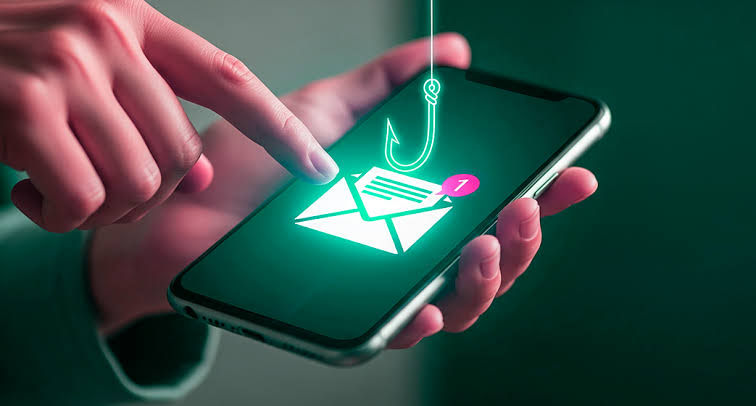
Tips to Avoid Online Fraud: How to Verify Suspicious Links and Protect Your Messaging Apps
Understanding the Digital Landscape
In today’s fast-moving digital world, convenience is everywhere. Yet behind that convenience, online fraud continues to threaten both individuals and businesses. Messaging apps, which many people use every day to stay connected, have increasingly become channels for scams and malicious activity. A single click on a fraudulent link can expose you to scams, ransomware, or even identity theft.
The numbers are alarming. In 2022, online scams cost Americans more than $8.8 billion, affecting thousands of victims. The FBI also reported a 70% increase in cybercrime complaints over the previous year, showing how urgent it is to stay alert. Phishing attacks, where criminals pretend to be legitimate organizations in order to steal personal information, have become especially common. For unsuspecting users, the consequences can be serious.
Key Strategies for Safeguarding Yourself
To protect yourself from online fraud, it is essential to know how to verify suspicious links before clicking.
Always check the URL: Before opening any link, examine the URL carefully. Fraudulent websites often imitate legitimate ones, but small differences can reveal the danger. For example, a link from “banksecure.com” may be fake, while a real bank would use its official domain.
Hover to reveal links: When using a computer, hover your mouse over a link to see its actual destination. This can help you avoid deceptive redirects that may lead to malware or scam websites.
Employ link verification tools: Several online tools can help check whether a link is safe. URL scanners such as VirusTotal and Norton Safe Web can analyze suspicious links before you open them, giving you more confidence before taking action.
Enhancing App Security
Verifying links is important, but protecting your messaging apps is just as essential. These steps can help strengthen your security:
Enable two-factor authentication: Two-factor authentication adds an extra layer of protection, making it harder for unauthorized users to access your account even if they have your password.
Regularly review app permissions: Check what information and features your messaging apps can access. Limit permissions to only what is necessary to reduce unnecessary data sharing or exposure.
Educate yourself about common fraud tactics: Stay informed about current scams and the methods cybercriminals use, including baiting, pretexting, and vishing, or voice phishing. Knowledge is one of your strongest defenses.
By understanding and applying these preventive measures, you can greatly reduce the risks connected to online fraud. Protecting your personal information also contributes to a safer digital environment for everyone.
In the following sections, we will explore these tips in greater detail, helping you navigate the digital world with more confidence and security.
Critical Techniques for Identifying Fraudulent Links
As cyber threats become more advanced, learning how to identify fraudulent links is more important than ever. Cybercriminals often create messages that look trustworthy and appealing, only to lead users into scams. These techniques can help you recognize and verify dangerous links before it is too late.
Inspect the sender’s information: Never assume a link is safe just because it appears to come from someone familiar. Cybercriminals often spoof email addresses or create fake profiles on messaging apps to gain trust. Always verify the sender, especially if the message feels unusual or pressures you to act quickly.
Look for red flags in the message: Phishing scams often include poor grammar, spelling mistakes, vague requests, or unusual wording. Be especially cautious with messages that say “act now” or claim that “urgent action is required.”
Research unusual requests: If a message from a known company asks for unexpected personal information, take a moment to search online. Other users may have reported similar scams, and you may find warnings about that specific tactic.
Using these techniques can help you avoid the traps set by fraudsters. However, identifying suspicious links is only part of the process. Understanding how online fraud works is equally important.
Strengthening Your Messaging App Defense
Beyond checking links, you should also use the security features available in your messaging apps. A stronger messaging setup can help protect your information from multiple angles.
Use updated apps: Keep your messaging apps updated so you have the latest security features and vulnerability fixes. Outdated software can give cybercriminals an easier path into your device or account.
Beware of suspicious attachments: Be careful with attachments or media files from unknown contacts or unexpected messages. These files may contain malware designed to infect your device.
Don’t share sensitive information: Avoid sending passwords, Social Security numbers, bank details, or other sensitive information through messaging apps. Legitimate companies will not ask for this kind of data through a casual message.
By strengthening your messaging apps with these practices, you create a stronger barrier against potential threats. The more you understand online fraud and the steps you can take to prevent it, the better prepared you are to protect your personal information.
In the next sections, we will look more closely at these strategies and provide additional guidance for safer online interactions.
Understanding Online Fraud Mechanisms
Online fraud appears in many forms, and scammers constantly adjust their tactics to deceive users. Learning the most common methods can make you much better prepared to identify potential threats.
One of the most common techniques is phishing. In these scams, fraudsters impersonate trusted companies, institutions, or individuals to trick people into sharing sensitive information. Recognizing the signs of phishing emails, such as poor grammar, unnatural urgency, and unfamiliar email addresses, is essential.
Using Technology to Your Advantage
Technology can be a powerful ally in protecting yourself from fraud. Security software with real-time website scanning can help identify potential phishing websites before you click on them.
Activating two-factor authentication, or 2FA, on your messaging apps also adds a valuable layer of protection. Even if someone obtains your password, 2FA makes it much harder for them to access your account without the second verification step.
The Importance of Vigilant Link Verification
Whenever you receive a link in an email or message, take a moment to verify it before clicking. A simple step is to hover over the link and check the real destination URL. Fraudulent links often look legitimate at first glance but lead somewhere entirely different.
Link expanders can also help reveal the destination of shortened URLs. This gives you more transparency and helps you make safer decisions online.
Educating Yourself and Others
Awareness is one of the strongest defenses against online fraud. Regularly learning about new scams and sharing that knowledge with friends and family can create a wider layer of protection.
Discussing recent scams, attending internet safety workshops, or simply helping others recognize warning signs can make a real difference. The more informed people are, the harder it becomes for scammers to succeed.
| Category | Description |
|---|---|
| Phishing Awareness | Recognizing signs that help you avoid scams |
| Link Verification | Methods for checking whether a link is safe |
| Two-Factor Authentication | An extra security layer for protecting accounts |
| Community Education | The importance of sharing knowledge with others |
By actively following these practices, individuals can improve their online security and reduce the risk of falling victim to online fraud. A vigilant mindset is essential in today’s digital world, helping users move through online interactions more safely.
Understanding the Red Flags of Online Fraud
Even with strong security habits, it is important to stay alert for subtle warning signs. Cybercriminals often leave clues that can help you detect a fraud attempt before damage is done.
Imposter URLs: Scammers often create website addresses that closely resemble legitimate ones, changing a single letter or adding an extra character. Always check URLs carefully before clicking. A quick search may reveal whether others have reported the site as fraudulent.
Unusual urgency: Phishing messages often create a false sense of urgency. Be cautious of messages that threaten account deactivation, financial consequences, or other serious outcomes if you do not respond immediately.
Inconsistent branding: If a message claims to come from a reputable company but uses logos, colors, or design elements that do not match the official brand, treat it as suspicious. Established companies are careful with branding, so inconsistencies can be a warning sign.
With careful observation and critical thinking, you can develop a stronger instinct for spotting these warning signs. Learning how online fraud works helps you separate legitimate communication from malicious attempts, improving your overall safety.
Best Practices for Secure Messaging Interactions
Messaging apps are essential for personal and professional communication, but they can also be used by scammers. To keep your conversations safer, consider adding these practices to your daily routine:
Enable two-factor authentication (2FA): Most messaging apps now offer 2FA. This security feature requires an additional verification step beyond your password, significantly reducing the risk of unauthorized access.
Review privacy settings: Regularly check the privacy settings in your messaging apps. Limit visibility to unknown contacts, disable read receipts when appropriate, and control who can add you to group chats. These small adjustments can improve your privacy.
Regularly clear your chat history: A clean chat history can reduce risk, especially if old conversations contain sensitive information. Delete unnecessary messages and remove contacts you no longer need to reduce exposure if an account is compromised.
By applying these best practices, you can strengthen your defenses against online fraud while keeping your messaging experience safe and convenient. Staying proactive is a continuous process, and small habits can make a major difference in protecting your information.
In the next section, we will explore tools and techniques that can help detect scammers more effectively and provide additional resources for protecting your online presence.
Final Thoughts on Safeguarding Your Online Presence
As the digital landscape continues to evolve, online fraudsters are becoming more sophisticated. That makes proactive online security more important than ever. By recognizing fraud warning signs and using safer messaging habits, you can significantly reduce your exposure to potential threats.
Simple practices such as checking URLs, enabling two-factor authentication, and reviewing privacy settings can greatly strengthen your defenses. Just as importantly, staying informed helps you respond more wisely to unfamiliar links, unexpected messages, and suspicious requests.
Online safety is not only about reacting to threats. It is about building a careful, informed mindset that prioritizes secure digital interactions. When something seems suspicious, take time to investigate before clicking, replying, or sharing information.
Every small step contributes to a safer digital experience. Use the right tools, share what you learn with others, and help create an online environment where security awareness becomes the norm. By protecting your own information, you also support a safer digital community.
Stay alert, stay informed, and continue learning about online fraud prevention. A proactive approach remains one of your strongest defenses against the threats that exist in the digital world.

Beatriz Johnson is a technology writer with an academic background in Digital Communication and Information Technology. She helps beginners understand digital tools, online safety, apps, productivity, and basic tech skills through clear and practical guides.