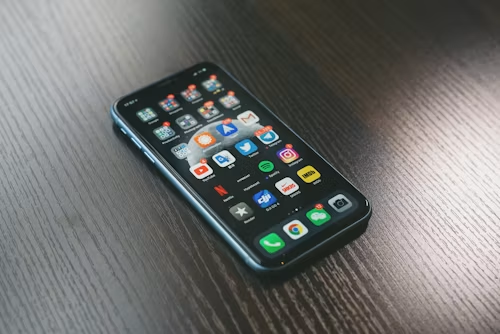
Clearing Phone Storage: Simple Tips to Optimize Your Device
Understanding the Frustration of Storage Management
Every smartphone user knows the frustration of seeing a “storage full” notification. It often appears at the worst possible moment, right when you want to take a photo, record a video, or download an app you have been waiting to try. Poor storage management can slow your device, reduce performance, and make the overall experience less enjoyable.
Fortunately, optimizing your phone’s storage is easier than it may seem. With a few smart habits, you can free up space and keep your device running more smoothly.
Effective Strategies to Free Up Space
This article explores practical strategies that can help you reclaim storage while improving your phone’s overall efficiency. Here are some useful tips to start with:
- Delete Unused Apps: Review your apps regularly and remove the ones you rarely use. Many people have dozens of apps installed but only use a small number of them daily. If an app has not been opened in months, it may be worth deleting. This can free up a surprising amount of space, especially if the app is a large game or streaming platform.
- Clear Cached Data: Apps often store temporary files that take up unnecessary space. Browsers, social media apps, and music streaming services can build up cached data over time. To clear it, go to your device settings, open the app management section, and look for the option to clear cache. Doing this regularly can free up hundreds of megabytes and improve responsiveness.
- Optimize Photos and Videos: High-resolution photos and videos can quickly fill your phone’s storage. Cloud services such as Google Photos and iCloud can help by storing media online while keeping your memories backed up. You can also use built-in storage optimization features that keep lower-resolution versions on your device while preserving the originals in the cloud.
Maintaining Optimal Performance
By applying these practices, you can take better control of your phone’s storage and maintain stronger performance. Both Android and iOS devices include tools designed to help users manage space more effectively, often offering recommendations based on usage patterns.
Whether you use an iPhone or Android device, these tips can help create a cleaner and faster experience. With a little regular maintenance, your smartphone can remain reliable, responsive, and ready for everyday tasks.
Practical Steps to Reclaim Valuable Space
As smartphones become more central to daily life, effective storage management becomes increasingly important. The good news is that freeing up storage does not have to be complicated. A few targeted actions can make a noticeable difference in performance and usability.
Here are some practical steps to help reclaim valuable space:
- Review Downloaded Files: Many users download documents, files, and media without realizing how much space they take up. Check your downloads folder from time to time and delete items you no longer need, such as old PDFs, installation files, or duplicate media. Depending on your usage, this cleanup can free up several gigabytes.
- Utilize Storage Management Tools: Most smartphones include built-in tools that show what is using the most storage. On Android, go to Settings > Storage to view a breakdown of your usage. On iPhone, go to Settings > General > iPhone Storage. These tools often recommend apps, files, and other items you can remove to optimize performance.
- Take Advantage of External Storage: If your device supports it, a microSD card can provide extra storage. This is especially helpful for users who download large media files or play graphics-heavy games. Moving photos, videos, and certain apps to external storage can reduce pressure on your phone’s internal memory.
LEARN MORE: Free Up Space: Essential Tips for Clearing Phone Storage
Embracing Cloud Solutions for Storage Management
Cloud storage has changed the way people manage files on mobile devices. Services such as Google Drive, Dropbox, and OneDrive allow you to store documents, photos, and other files online while keeping them accessible from any device with an internet connection.
Moving files to the cloud can help preserve your phone’s storage without sacrificing access to important information. Many cloud services also offer automatic backups for photos and videos, helping protect your memories while reducing the need to manually manage every file.
In short, a cleaner and faster smartphone often comes from a combination of deleting unnecessary items, using built-in storage tools, and relying on cloud storage when appropriate. By managing your phone’s storage actively, you can improve performance and keep your device ready for daily use.
| Category | Description |
|---|---|
| Apps Management | Remove unused applications to free up valuable storage space. |
| Media Optimization | Compress images and videos or use cloud storage for media files. |
| Cache Clearing | Regularly clear app cache to reclaim storage. |
| Storage Analysis | Use built-in tools or third-party apps to identify storage-heavy files and apps. |
To truly optimize your device, app management is essential. Start by uninstalling applications you no longer use, since they can consume both storage and system resources. Media optimization is also important because photos and videos often take up large amounts of space. Compressing them or moving them to cloud services like Google Drive or Dropbox can keep them accessible without overloading your device.
Clearing cache is another useful habit. App cache can grow over time and take up storage without offering much benefit. A complete storage analysis can also help you identify which apps and files are using the most space. Together, these actions can improve phone performance and help extend the life of your device.
Maximizing Efficiency Through Media Management
Photos, videos, and music are some of the most valuable files on a smartphone, but they are also among the biggest contributors to storage problems. Managing media wisely can free up space and make your digital library easier to navigate.
Here are some helpful ways to optimize your media files:
- Organize Your Photos and Videos: Spend time organizing your gallery into albums by event, theme, or date. Delete duplicates, blurry photos, and unnecessary screenshots. You can also use photo organization apps that detect similar images and help you remove unwanted files in bulk.
- Leverage Streaming Services: With platforms like Spotify, Apple Music, and Netflix, there is often no need to store large music or video libraries directly on your device. Download only the essential tracks or videos you need offline, such as for commuting or travel, and keep the rest available through streaming.
- Compress Media Files: If you need to keep certain videos or images on your phone, media compression apps can reduce file sizes while maintaining acceptable quality. Apps like Photo Compress and Video Compressor offer simple ways to shrink large files in just a few taps.
Apps: The Good, The Bad, and The Unused
Apps can make smartphones more useful, but they can also become major storage consumers. Managing them regularly is key to keeping your phone efficient.
- Delete Unused Apps: Review your apps and remove anything you have not used in a month or more. Whether it is an old game, a one-time travel app, or a tool you no longer need, deleting unused apps can recover valuable storage.
- Clear App Cache: Many apps store cached data that builds up over time. On Android, you can clear cache through Settings > Apps, then selecting the app and choosing Clear Cache. On iPhone, uninstalling and reinstalling an app can help reset accumulated cache.
- Optimize App Storage Settings: Some apps allow you to reduce their storage impact. For example, social media apps may let you save lower-quality images or videos. Reviewing these settings can help limit storage usage without removing the app entirely.
By managing media and apps more intentionally, you can create a smoother smartphone experience. Each small action frees up space, improves responsiveness, and helps your device remain useful in everyday life.
Final Thoughts on Clearing Phone Storage
Smartphones have become essential parts of daily life, which makes storage management an important habit. By organizing media, clearing cached data, deleting unused apps, and using cloud storage, you can reclaim valuable space and improve device performance.
As digital clutter grows over time, regular maintenance becomes even more useful. Auditing your photos, videos, downloads, and apps can help prevent storage problems before they become frustrating. Media compression tools and streaming services can also reduce the burden on your device while keeping content accessible.
Clearing phone storage is not only about making room for new files. It is about keeping your device fast, responsive, and reliable. By turning storage management into a regular habit, you can enjoy a smoother smartphone experience and make better use of your device every day.
LEARN MORE: Free up storage on your Android device

Beatriz Johnson is a technology writer with an academic background in Digital Communication and Information Technology. She helps beginners understand digital tools, online safety, apps, productivity, and basic tech skills through clear and practical guides.